Table of contents
TLTR
WordPress is undeniably the most popular Content Management System (CMS) for websites, holding an impressive 64% CMS market share.
Its immense popularity also makes it a target for breaches and malicious code injections, primarily aimed at spam activities and data theft.
Looking at the list of all WordPress versions, you’ll notice that WordPress updates are released on average about 5 times a year. For each version, you can find details about its innovations, including new features, bug fixes, performance improvements, etc.
Why It’s Important to Keep Your Website Updated
1. Security
Security is arguably the most crucial reason to keep your WordPress website updated.
The main known security vulnerabilities of WordPress come from:
- WordPress plugins
- WordPress core
- WordPress themes
Whenever a security vulnerability is identified or a new feature is to be implemented, the WordPress team releases an update to address it. The same should apply to plugins and themes – essential components for a WordPress website.
WordPress is open-source and has a dedicated team to find, identify, and fix security issues in the core code.
However, this also means that hackers can study the code and find ways to breach websites, exploiting not only the WordPress core but also plugins and themes. This is why keeping WordPress, plugins, and themes up to date is incredibly important for the overall security of your website.
Common hacker attacks don’t have a specific target; their goal is to find vulnerabilities in networks to take over servers or use websites for undesirable activities, such as spam distribution. For instance, if a security bug is discovered in a plugin, the network is likely to be scanned to find sites with that particular plugin installed.
2. New Exciting Features and Bug Fixes
Each new WordPress version comes with new features and software changes, including bug fixes that have been identified up to that point.
Consider WordPress version 4.9.6. Looking at the introduced changes in this version, you can see that, among many other things, improvements and features related to GDPR compliance were added. This means that updating your WordPress to this version is advisable for GDPR compliance. Version 4.9.7, on the other hand, fixed a security issue.
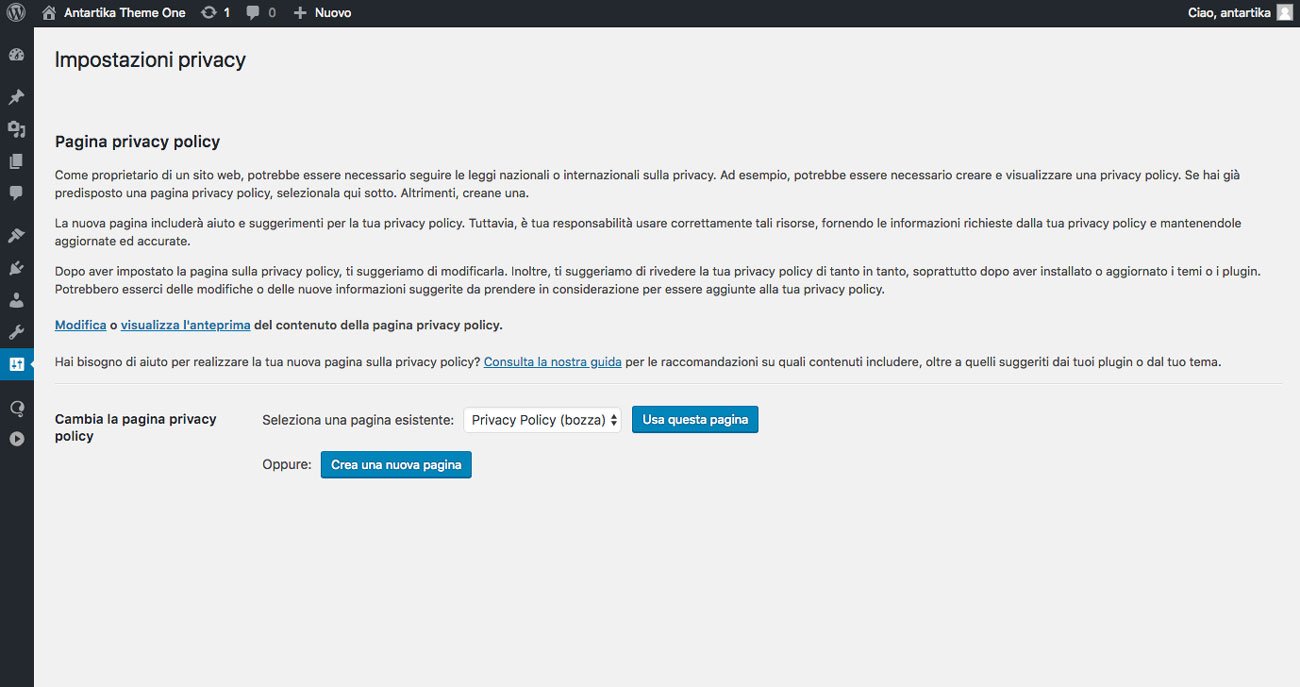
By looking at the page with the list of all WordPress releases and their details, you can see that in 2018, WordPress version 5.0 was released. It replaced the previous TinyMCE editor (Classic Editor) with the new Gutenberg, bringing significant performance benefits to WordPress websites.
With version 5.9, the WordPress team even introduced the “Full Site Editing” feature. This means that with the new WordPress 5.9, the editor allows working on page templates – like the homepage or individual posts – and their sections through a user-friendly graphical interface.
Each new release always includes bug fixes from the previous version.
You can find the list of all WordPress releases with their respective details here.
3. Site Performance
Every new version includes numerous performance improvements that make WordPress faster and more efficient.
The focus of WordPress version 6 is on increasing website performance and accessibility.
Since site speed is a critical factor for SEO, keeping WordPress updated is necessary to ensure maximum performance benefits.

4. Website Maintenance
Website maintenance involves taking care of all technical aspects of updating the site.
Often, theme and plugin developers coordinate their updates with major WordPress versions to ensure they take advantage of new features and improvements. This means that after a new WordPress version is released, plugin and theme updates follow suit, which can be executed from the administration area of your site if it’s been regularly updated.
However, if too much time has passed between the version in use and the new version, updating can become quite challenging.
This is why regularly backing up WordPress is essential.
Consequences of an Unupdated Website
1. Vulnerabilities
When a site is compromised, the consequences can vary based on the type of damage caused.
There are multiple reasons someone might want to harm a website, pursued through the distribution of malware (viruses or similar types). The activity involves inserting texts and backlinks into our pages, which may not be visible during browsing but are present in the code.
If hackers manage to infect our site with malware, we may be used to infect as many computers as possible, including those of our visitors.
2. Damage to Search Engine Ranking
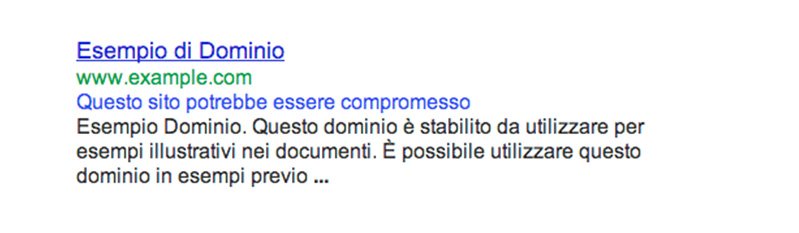
The most significant damage likely concerns Google rankings, SEO, and our pages in the Search Engine Results Pages (SERP).
In the image below, we see an example where Google indicates that the site may be compromised.
The potential economic loss doesn’t need to be mentioned, in addition to the severe damage to the reputation of our business.
A compromised site significantly decreases the level of evaluation and trust that we had worked hard to achieve among users.
3. Difficulty in Troubleshooting
When seeking help on support forums, the first advice you’ll receive is to update WordPress, as this might solve the problem. If you persist in not updating WordPress, you might often find it difficult to receive support.
4. Version Incompatibility
As mentioned earlier, in the case of irregular updates – when too much time passes between updates – various complications can arise, such as incompatibility between the versions of the WordPress core and the installed plugins and themes.
In such cases, updating takes more time and there’s a high likelihood of complications.
In such cases, it’s preferable to delegate the update task to a professional who can implement necessary corrective actions to restore the website’s security.
Table of contents