Table of contents
Reaching your target audience is a common element in all business and marketing strategies. One of the online tools that helps us in this task is Google Ads, the advertising tool by Google.
When we delve into Google Ads, we immediately notice that there are different types of campaigns: Search, Display, Shopping, Video, App, Discovery, and Performance Max.
The goal of the tool is indeed to capture users throughout the journey of awareness, interest, and purchase of a product or service, commonly referred to as the customer journey.
While Search campaigns with text ads are the ones most commonly associated with Google Ads, it’s the Display campaign that is gaining more popularity year by year.
Why are Display ads important?
If the goal of every advertiser is to understand how to identify their target on platforms, Display campaigns can make a difference.
Unlike campaigns on the Search network, which provide users with results relevant to what they are actively searching for at that moment (the “Pull” mechanism), Display network campaigns work on a “Push” mechanism. This means that users see the ads while they are browsing the web, rather than actively searching for specific content.
This allows you to connect with a potential audience that has not yet entered into our “web.”
Targeting
The targeting options for the Display (and Video) network include:
- Language
- Location
- Device
- Context
- Audience
While with contextual targeting, we focus on ad placement, with audience targeting, we focus on the individuals to whom the ads are shown: What topics are they interested in? What products do they buy or compare? What group of people do they belong to?
Contextual Targeting
Thanks to contextual targeting, Google Ads allows you to place your ads by choosing websites or pages:
- Specific and selected by us (placement targeting)
- Containing specific keywords relevant to the target (keyword targeting)
- Dealing with topics related to the industry or of interest to the audience (topic targeting)
Audience Targeting
Audience targeting, on the other hand, allows you to show your ads to specific audience segments: groups of people who, according to Google’s statistics, share interests, intentions, and demographics.
Within Google Ads, you can choose from a wide range of audience segments:
- Demographic traits
- In-market audience segments
- Affinity audience segments
- Customer match
- Similar audience
- Remarketing
1. Demographic Targeting
This is a fairly intuitive segment: it allows you to choose the ideal audience based on age, gender, and parental status.
It’s also possible to exclude specific demographic groups. For example, if your brand targets a young audience, you can exclude the “65 and older” age group. This decision should be made only after careful consideration of the target audience.
2. In-Market Audience and Affinity Audience
The segments of in-market and affinity audiences might be less intuitive, as they allow you to show your ads to people who have shown interest in products, services, or topics related to your business.
Affinity audience segments allow you to reach users for whom Google has compiled a holistic picture of passions, interests, lifestyles, and habits: “sports enthusiasts,” “car lovers,” “foodies.” Google Ads provides a choice of 80 different affinity groups.
It’s also possible to customize affinity audience segments to make targeting even more specific. This feature allows you to explore niches within a group of users based on a specific interest. For instance, with custom affinities, you can target raw food enthusiasts within the broader foodies segment.
The so-called in-market audience includes consumers who are nearing the end of the customer journey, those who are already inclined to purchase a product or select a service within a business proposal.
This might be the case of a user who has actively added a similar product to ours to their e-commerce cart or is comparing two cars because they’re considering a change.
3. Customer Match, Similar Audience, and Remarketing
As mentioned earlier, Google Ads is a tool that allows you to capture the user in all stages of their customer journey. In a sense, we could define these three audience segments as more suitable for the after-purchase phase.
Just like in the case of Remarketing. Even if the term might not be familiar, you’ve certainly been its recipient.
Have you ever thought about spending a weekend out of town?
Usually, we check some hotel and apartment comparison websites or evaluate flight options from various airlines. We decide to wait and consider the idea in the following days.
And then, our web experience becomes alive with ads reminding us that we were considering booking that room or that flight!
This is precisely remarketing: a powerful feature of Google Ads that reattracts attention and encourages users to take action, such as completing a purchase.
Customer Match allows you to reconnect with your customers or prospects after they have provided information (email or phone numbers).
Additionally, data collected through a CRM can be shared with Google Ads, allowing the platform to reach users who already know us, facilitating new contact or proposing discounts and promotions.
Last but not least, Similar Audience (akin to Facebook’s Lookalike), identifies consumers similar to your already acquired customers and displays ads to those who share characteristics and search behaviors similar to users included in Remarketing and Customer Match.
In Conclusion
Forget about food connoisseurs: on Google Ads, there’s something for everyone’s taste! Especially considering that the different segments can be crossed in order to display ads to increasingly defined niches.
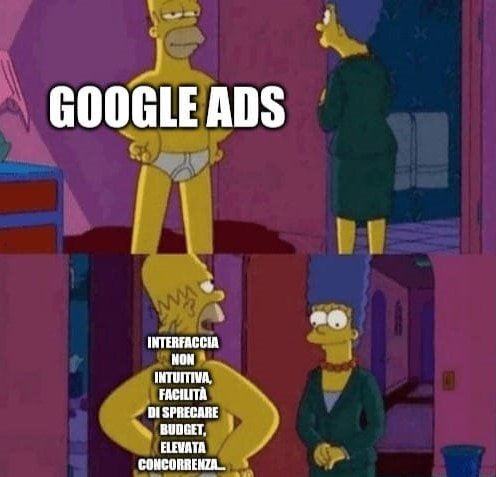
Viewed this way, the advertising platform of the renowned search engine can be very appealing at first glance. However, we are dealing with a very powerful tool, and as the saying goes, ‘with great power comes great responsibility‘. Managing it is complex and challenging to do autonomously without experience. Additionally, the variables to integrate and the optimizations to make are vast and manifold (consider, for example, the use of negative keywords or dynamic insertion of keywords in ads). Not to mention the dynamics mentioned in this humorous illustration:
Our advice? Rely on professionals who can translate your marketing objectives into a PPC strategy (including campaigns, goals, budget, and KPIs) and who can help you understand the achieved results.
Table of contents